How to Deploy Multimodal AI for Product-Led Growth

The Complete Stack for Upsell Personalization That Actually Works

DIGITAL EDITION 2025

The Multimodal Stack

Your users are telling you what they want every second they touch the product. Not just in clicks. In how they move through a feature, the screenshots they upload, the snippets they paste, the way their cursor hesitates before a paywall nudge. Multimodal AI can read all of it—text, images, behavior—and turn that messy stream into precise, timely value. Which, if you're being honest, is the only thing that sells.

Product-led growth lives or dies by the moments between curiosity and payoff. The faster you recognize intent and the more precisely you respond, the more upgrades land without a sales call. The old model pushed generic prompts. Multimodal AI changes the game: interpret what a user is doing, hearing, and showing, then orchestrate the right help and the right upsell, in the right place, with zero friction.

"If the product can see, hear, and read the customer, it can sell without shouting."

Let's get concrete. A working stack starts with capture: client-side telemetry for events and sequence data; server-side logs for feature usage; content ingest for user artifacts—documents, images, snippets, screenshots; and conversation transcripts from chat or voice. That's your raw feed. If you can't see it, you can't personalize it.

Next up: translation. Convert raw events into semantic signals using embeddings. Use vision models to parse uploaded images or screenshots (think "pricing table detected" or "competitor UI present"). Use text models to extract goals from notes and support threads. Stitch it all into a rolling user state: capability level, task progress, blockers, and purchase readiness. Now you're not guessing.

Core building blocks

What actually ships to production? A feature store for derived user attributes; a vector database for embeddings; a prompt and tool registry for models; and a real-time stream processor that triggers the model when a user hits a meaningful threshold. Thin, fast, observable.

  • Embeddings for events, text, and image features
  • Lightweight agents with tool access (docs search, pricing API, experiment enrollment)
  • Policy layer with allow/deny lists, safety filters, and rate controls
  • UI instrumentation for instant feedback capture
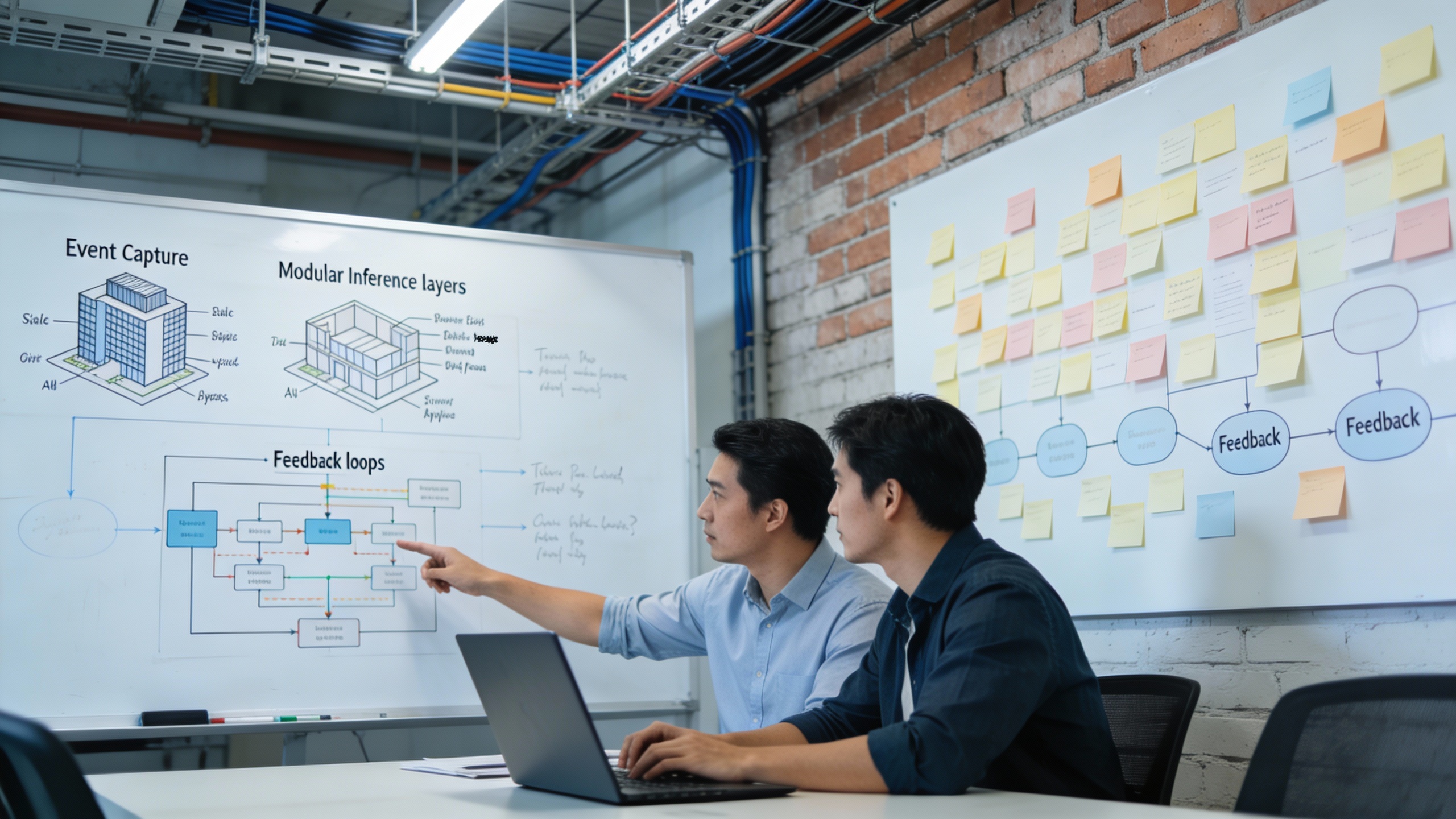
Product team mapping agent orchestration on a whiteboard to coordinate marketing automation and digital marketing automation workflows

Orchestration and Automation

Then the brain: a multimodal large model (or a compact ensemble) that consumes the user state, recent interactions, and UI context to decide the next best action—guide, generate, or sell. All of this sits under governance: PII minimization, consented data flows, structured prompts with policy constraints, and audit trails for every automated suggestion.

Agentic workflows deserve clarity, not hype. Think small, specialized agents: one detects task intent, one assesses skill level, another selects the next best prompt, and a fourth determines whether an upsell is relevant at all (often it isn't—don't push). A conductor agent coordinates them based on latency budgets and eligibility rules. Done right, the whole thing feels like a single, helpful presence inside the product.

Real-World Implementation

One mid-market SaaS added a multimodal AI agent that recognized onboarding friction from a combo of cursor pauses, error strings, and uploaded artifacts. The agent offered context-aware help first, then a trial of a premium workflow if the user was clearly pushing past free-tier limits. They cut first-week churn by a third and nudged upgrades without a single "limited-time" banner.

Learning never stops. Log every decision and outcome: Did the user accept guidance? Did they complete the task faster? Did the prompt annoy them enough to hide it? Feed that back into your bandit policies and model routing. Some days the crisp checklist wins. Other days, a 30-second micro-tutorial does the trick. Let the data pick the champion hourly, not quarterly.

Connect your product data to your CDP and CRM so the story follows the user outside the app. If the user hits a skill wall at step three, the next support chat should open at step four—no small talk. At Joe's Site, we've seen teams wire event streams directly into eligibility rules so that only high-intent, in-the-moment offers make it past the gate.

"Don't reference data the user didn't explicitly surface."

Telemetry that matters

Measure time-to-first-value, prompted vs. organic completion rates, friction events per session, win-back rates after assistance, and the net revenue delta associated with each prompt type. You'll kill half your prompts within a month. Good. Keep the ones that earn their keep and let the losers die without ceremony.

Personalized Upsells That Convert

Upsells work when they're the obvious next step in the user's story. Map your core jobs-to-be-done and tag each with the moments where premium features unblock progress—export limits, collaboration gates, higher-resolution outputs, longer context windows, advanced analytics. Then tie those gate moments to multimodal cues: the spreadsheet screenshot, the audio clip, the long paste from a compliance doc.

The model recognizes the pattern and offers the upgrade with a reason the user already agrees with. Surfacing matters. Inline prompts should be small, specific, and situational: "You're 80% to a perfect report; premium adds live data refresh—finish without manual updates?" The related content should be multimodal too. Short demo, one annotated example, one sentence on value.

Micro-Segmentation Strategy

Multimodal signals expose micro-segments: the team that needs unlimited collaborators for one month, the analyst who needs OCR plus audit trail only on quarter close, the creator who needs 4K export on weekends. Offer flexible, time-boxed add-ons where it makes sense. Transparent, reversible, and priced to be a no-brainer.

When a user drops off after rejecting an upsell, retargeting should respect context, not spam their inbox. A crisp recap in email, an optional DM in-app, and—if it fits your audience—a coordinated burst on social describing the same use case. This is where digital marketing automation earns its keep, weaving the narrative across channels without bloating frequency.

Real talk about risk: personalization can go creepy or clumsy fast. Guardrails matter. Don't reference data the user didn't explicitly surface. Don't overfit to short-term clicks at the expense of trust. And keep latency under 250ms for in-flow prompts—beyond that, even a good suggestion feels like a speed bump.

"The revenue lift shows up alongside better user momentum, not in spite of it."

Orchestration glues the whole thing together. Event in; state update; decision; action; telemetry. And then the loop completes—because every response changes the state. That's where the compounding returns show up.

Sponsor Logo

This article was sponsored by Aimee, your 24-7 AI Assistant. Call her now at 888.503.9924 as ask her what AI can do for your business.

About the Author

Joe Machado

Joe Machado is an AI Strategist and Co-Founder of EZWAI, where he helps businesses identify and implement AI-powered solutions that enhance efficiency, improve customer experiences, and drive profitability. A lifelong innovator, Joe has pioneered transformative technologies ranging from the world’s first paperless mortgage processing system to advanced context-aware AI agents. Visit ezwai.com today to get your Free AI Opportunities Survey.